I'm on macOS 26, and I've seen some serious CPU usage peaks on my mac during iOS development.
1. macOS: 26.0 or 26.1 to 26.1 to 26.x
2. Xcode: 26.0+ (also occurs at 26.2 beta as of November 11, 2025)
3. iOS simulator runtime: 26.x
My MacBook (MacBook Pro 16,1) has a MacOS 16-inch older Intel Core i9-9980HK 2.40GHz (8core 16thread), AMD Radeon Pro 5300 (4gb), and two 16GB RAM. I'm using a 512GB SSD.
what I observed
Development in iOS 26.x simulator is so slow that it can barely be developed.
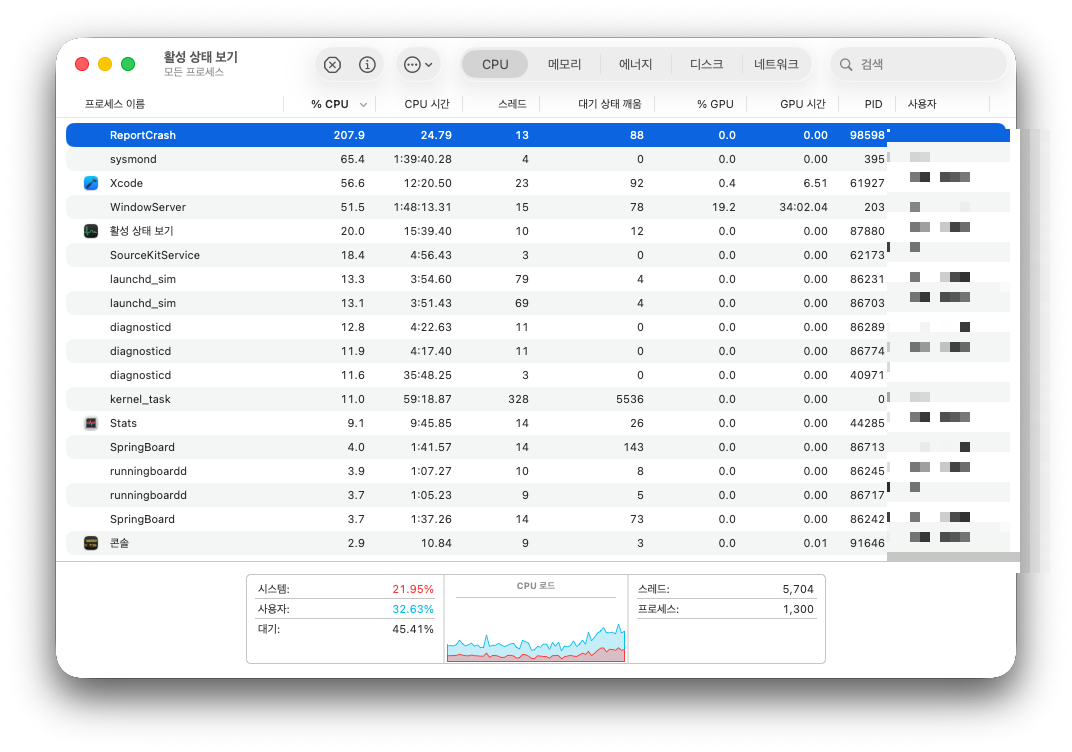
The activity status view app shows that the ReportCrash process is consuming a huge amount of CPU.
207.9%??? No, it's so funny that it can exceed 100% in seconds 🤣
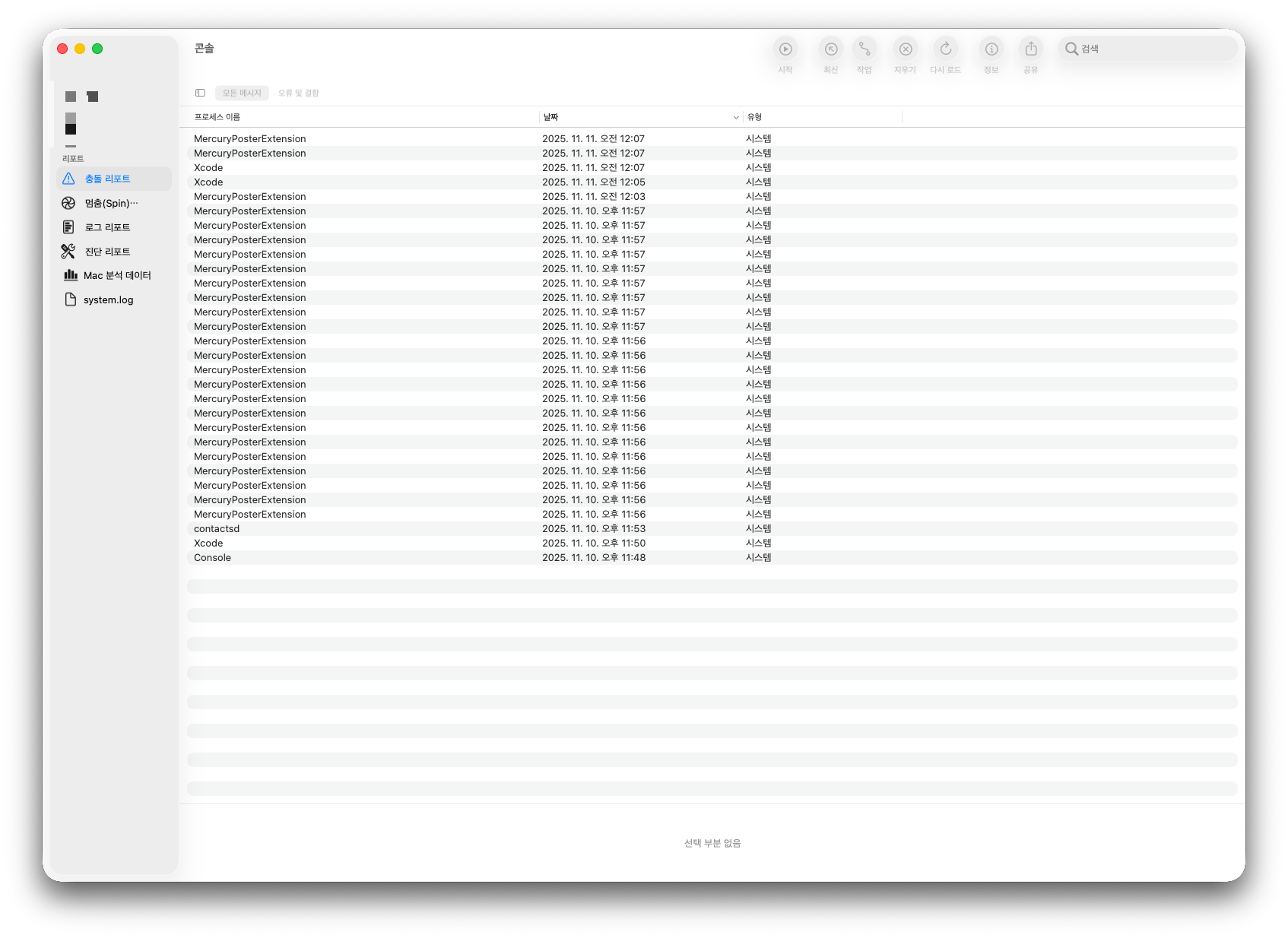
- If you look at the console app, you'll see a lot of crashes, and these crash errors will eventually trigger the ReportCrash process.
MercuryPosterExtension crash reports are often more than 10 per minute.
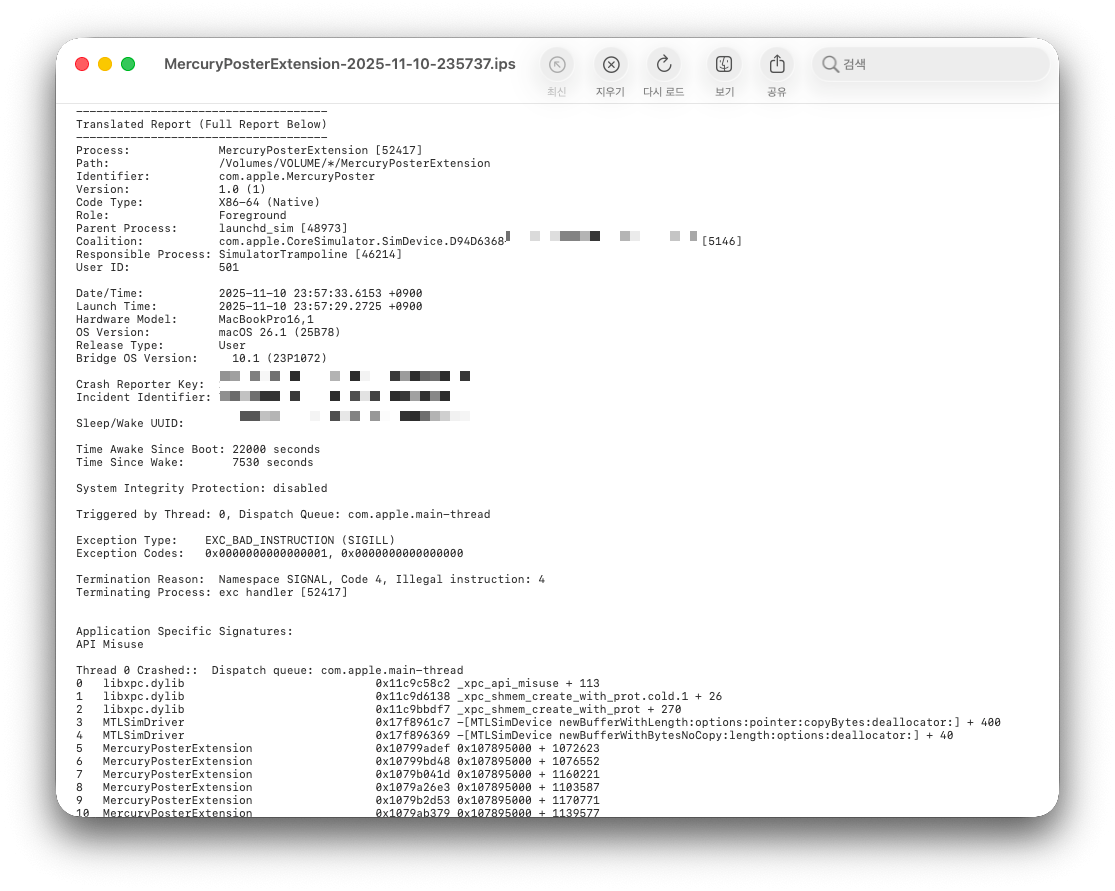
I didn't want to know what that was at first...
The name was the same as the simulator (25B78) I installed.
And I was able to confirm that Crash did not occur when I exactly finished Xcode.
I've been looking through tons of tweets and reddit, but there's no workaround,
Even the latest MacBook M5 found the same symptoms..
I could see that Apple wrote the Xcode in a really weird way.
Apple Developers Can't Feel Their Computers Are All MAXs? 🤣
I'm a little jealous.. 🥹
Simple workaround: eventually, you need to turn off the report.
reportCrash disabled
sudo launchctl unload -w /System/Library/LaunchDaemons/com.apple.ReportCrash.Root.plist
For those of you who want to reactivate it
sudo launchctl load -w /System/Library/LaunchDaemons/com.apple.ReportCrash.Root.plist
I'd like to offer my boring consolation to the developers who made it this far...
App development, fighting!!
'스터디 > iOS' 카테고리의 다른 글
| Xcode 커맨드라인으로 iOS앱 업로드 방법 (0) | 2022.07.25 |
|---|---|
| 아이폰 앱스토어 스크린샷 사이즈 (0) | 2022.05.03 |
| 애플 개발자 프로그램 가입시 주의사항 (0) | 2022.02.04 |
| iOS의 화면을 그리기 위해선 이것이 필요합니다! XIB, NIB, Storyboard (1) | 2018.07.20 |
| 아이폰 시리즈 카메라 비교 (5s,6,6+,6s,6s+,se,7,7+,8,8+,x) (0) | 2018.04.13 |


댓글